


Instant Boost : Addon
4.215.00 Reviews
App Specs
- Version
- 1.4
- Updated On
- License
- Free
- Downloads
- 500,000+
- Developer
- Trilokia Inc.
- Categories
- Libraries & Demo
- Platform
- Android
Screenshots
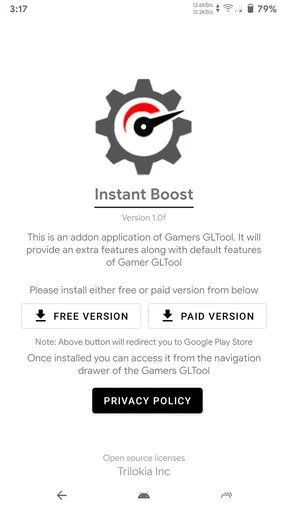
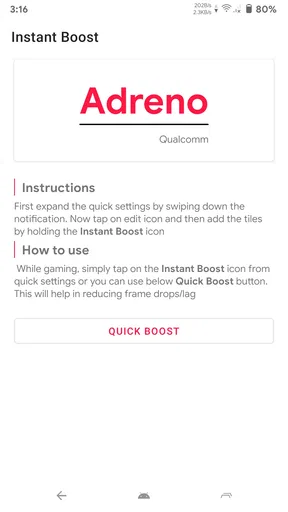
 Analysis by AppCompare
I approach Instant Boost : Addon as a gaming utility rather than a game in its own right: its appeal is the promise of helping a phone handle play more comfortably, not adding new levels or changing how a title works. That distinction matters, because a booster can only help within the limits of the device, the game, and the connection. I’d treat it as a handy tool to try before a session, not a guaranteed fix for every stutter or online delay.
Its network-related appeal is especially relevant when a game depends on a live connection. A weak Wi-Fi signal, a busy home network, or a poor mobile signal can all make an online match feel rough, and those problems do not always have the same cause. A utility may help with some sources of friction, but it cannot turn an unstable connection into a reliable one. I find it useful to keep that distinction in mind before judging whether a boost has helped.
When connectivity shapes a session
For an online game, I’d compare how a match feels before and after using the app under similar conditions: same location, same connection, and roughly the same time of day. A single smooth round is not proof that a tool fixed lag; network congestion changes from moment to moment. Repeating the comparison is a more practical test, and it can help separate a genuine improvement from ordinary variation.
If the game is still freezing while other online activities on the phone also feel slow, I would check the connection itself before expecting a booster to solve everything. Moving closer to the router, switching to a steadier available network, or pausing a large download may matter more than tapping an optimization button. That is not a knock against Instant Boost; it is simply a reminder that a phone utility and a network repair solve different problems.
Useful in short mobile sessions
I can see this fitting a familiar routine: I have a few minutes before leaving, open a demanding game, and want to avoid spending that small window closing apps and hunting through device settings. A quick, focused utility is appealing in that moment because it gives me one place to try a tune-up before launching the game. For longer sessions, I’d also watch the phone’s temperature and battery level; any performance tool has to work within those physical limits.
The app is aimed at people who want a simple gaming-oriented starting point, especially if they do not enjoy adjusting system settings manually. It is less compelling for someone whose phone already runs their games smoothly or whose main issue is an aging device struggling with a title’s demands. In those cases, lowering a game’s own graphics settings or closing a specific heavy app may be a clearer, more direct step.
What to do when a boost disappoints
If a game still stutters after a boost, I would avoid repeatedly tapping the same control and instead identify what is actually going wrong. Long load times, dropped frames, and delayed online actions can look similar in the moment but point to different bottlenecks. Try the game again with fewer apps open, compare a network-dependent mode with a solo mode if the game offers one, and note whether the problem follows the connection or the phone’s workload.
Worth Reading Before You Choose

EA SPORTS FC Mobile 26 Is a Bigger Football Game, but It Takes Time

Flipboard Shows What News Apps Must Do Beyond the Feed

Switching to Android Auto Means Rethinking Your Driving Routine

Google Calendar Makes a Crowded Week Easier to Manage

Ludo King Makes the Most of the Minutes Between Plans

Baby Panda World Brings Quick Play to Modern Phones, but Its Game Library Feels Busy
That simple check also helps set expectations. If the problem appears only in one title, the game’s own settings or a title-specific update may be the better route. If the device heats up during extended play, taking a break and letting it cool is more sensible than expecting software to overcome heat. I appreciate utilities most when they make a useful first step easier, not when they suggest every problem has one universal switch.
Keeping data use and control in mind
Because this is a gaming utility, I would pay attention to what I’m doing on a metered mobile connection. The app’s purpose is not a reason to assume it reduces a game’s data use; online titles can still exchange data as part of ordinary play. If I’m trying to conserve a limited plan, I’d check the phone’s data settings and the game’s own options rather than relying on a performance tool to manage that for me.
I’d also make one change at a time when testing it. If I close background apps, switch networks, and alter a game’s graphics all at once, I won’t know which step made the session smoother. A short before-and-after test gives a more useful answer and makes it easier to decide whether the app deserves a place in my pre-game routine.
In practical terms, Instant Boost is best approached as an optional helper, not a substitute for sound connection habits or sensible game settings. That is a worthwhile role for a free app, provided I judge it by whether it makes my own routine easier rather than by an expectation of dramatic gains on every device.
Getting Started with Instant Boost
Installing Instant Boost : Addon is as simple as pie. Available on both Android and iOS, you can find it on the Google Play Store or the Apple App Store. It’s a lightweight app, so it won’t eat up too much of your device’s storage. Once downloaded, the setup process is straightforward, and you’ll be up and running in no time.
The User Interface
The first thing I noticed was the app’s slick and intuitive interface. It’s all about user-friendly navigation here. The main dashboard is clean, with a minimalistic design that’s easy on the eyes. You won’t need to dig through endless menus to find what you need. Everything is just a tap away, making it perfect for gamers who want to jump straight into the action.
Features that Pack a Punch
Now, let’s talk about what really matters – the features. Instant Boost : Addon offers a variety of tools tailored to enhance your gaming performance. Here’s a quick rundown:
- Game Booster: This feature optimizes your device's performance by clearing unnecessary background apps and processes. It’s like giving your phone a shot of adrenaline before a big game.
- Network Optimizer: We all know the frustration of lag during crucial gaming moments. This tool improves your network connectivity, ensuring smoother gameplay and reducing latency.
- Battery Saver: Gaming can be a serious drain on the battery. This feature helps manage your device’s power usage, giving you more playtime without constantly reaching for the charger.
Each feature is designed with gamers in mind, ensuring you get the most out of your device while playing your favorite titles.
Real-World Performance
Let’s get real – no one likes promises without delivery. So, how does Instant Boost : Addon perform under pressure? I tested it using a few demanding games, and I must say, it impressed me. The game booster noticeably sped up load times and made transitions smoother. The network optimizer cut down on lag spikes, which was a lifesaver during online matches.
The battery saver feature was a pleasant surprise. I could extend my gaming sessions without sacrificing too much on performance. It’s clear that the developers have put serious thought into what gamers need.
Room for Improvement
No app is perfect, and Instant Boost : Addon is no exception. One thing I noticed was that while the app works great for most games, some older or less optimized titles didn’t benefit as much. Additionally, while the interface is intuitive, a few more customization options would be a welcome addition for those who like to tweak settings to their liking.
However, these are minor gripes in an otherwise stellar app. The team behind Instant Boost seems committed to regular updates, so I’m hopeful these issues will be addressed in future versions.
Final Thoughts
In conclusion, Instant Boost : Addon is a game-changer for anyone looking to enhance their mobile gaming experience. It’s packed with useful features, easy to use, and genuinely makes a difference when it counts. Whether you’re a casual player or a competitive gamer, this app brings something to the table.
If you’re tired of lag, slow load times, or running out of battery mid-game, give Instant Boost a try. It might just become your new favorite tool in the quest for gaming greatness. Trust me, your thumbs will thank you!
Who is likely to get the most from it?
The clearest fit is a player who wants a simple step before opening a game, rather than a dashboard full of manual controls. Instant Boost is a free app from Trilokia Inc. in the libraries and demo space, and its straightforward gaming focus makes it easier to understand than general-purpose device maintenance tools. It has an average rating of 4.2 from around 1,200 ratings, with more than 500,000 installs, suggesting that plenty of players have tried it, though popularity alone cannot predict how it will behave on your phone.
It is suitable for everyone, and version 1.4 supports devices running Android 7.1 or later. The app was released on September 18, 2020. I would check compatibility before building it into a routine, particularly if you use an older device or have changed operating systems recently. Those details make it easier to decide whether it is worth trying, but they do not promise the same result across different phones and games.
How it compares with familiar alternatives
Compared with opening your phone’s built-in battery or app controls, a gaming-focused booster may feel more convenient because its purpose is immediately clear. The trade-off is that system settings can offer more direct control over a particular issue, such as limiting an app that keeps running in the background. If I already know what is slowing my phone down, I may prefer that targeted approach instead of expecting one general boost to address several causes at once.
It also occupies a different role from a game’s own graphics and network settings. Those settings can be more relevant when one title is too demanding or has a particular performance option. I’d start with the game’s controls if only that title is struggling, and try Instant Boost when I want a quick general check before play. For a weak Wi-Fi signal, changing location or network is more sensible than expecting an app to overcome the physical connection.
A careful way to make it part of your routine
One useful approach is to choose a game you know well and use the same short test each time: launch it under comparable conditions, play a familiar section, and pay attention to loading, responsiveness, and battery drain separately. That separation matters. A smoother transition into a game does not automatically mean online actions will respond faster, and a steadier match does not prove the phone is using less power.
For an everyday example, imagine waiting for a friend and squeezing in a quick online round on mobile data. Before starting, I would check that the signal is steady and that no large transfer is competing for the connection; then I could try the booster and see whether the session feels more consistent. If the signal fluctuates or the game continues to lag, I would save the competitive match for a more reliable connection rather than risk blaming the app for a network problem it cannot control.
There is a small but important trade-off in closing background processes: an app you wanted to keep ready may need to be opened again, and the boost is not a reason to close anything indiscriminately. I’d use it immediately before a game rather than at random during the day, then check whether the apps I rely on still behave as expected. That makes the routine practical without turning phone management into another chore.
Where I would draw the line
I would skip it if you expect a guaranteed frame-rate increase, a repair for poor mobile coverage, or a replacement for upgrading a device that no longer handles your preferred games comfortably. It is also not the right answer when a game’s own servers or a home router are the source of trouble. In those situations, changing the relevant setting, connection, or play conditions is more likely to help than repeating a boost.
For a reader deciding whether to install it, the useful question is not whether every game will improve, but whether a quick gaming-oriented tool fits the way you troubleshoot. If you like a simple first step and are willing to judge the result on your own device, it is reasonable to try. If you prefer precise controls and already know which process, setting, or network is causing a problem, your phone’s built-in tools or the game’s own options may be a better match.
My connectivity verdict is therefore measured: Instant Boost can be part of a sensible pre-game check, especially when I want to prepare the phone without digging through settings, but it is not a substitute for a dependable network or realistic expectations. I would keep it only if repeated use makes my own sessions more convenient or consistent. That is a fair standard for a free gaming utility, and it leaves room for the fact that results depend on the device, title, and connection being used.
Pros
- User-friendly interface for quick setup.
- Enhances device performance effectively.
- Customizable settings for personalization.
- Minimal impact on battery life.
- Regular updates with new features.
Cons
- Limited compatibility with older devices.
- Requires in-app purchases for full features.
- Occasional ads can be disruptive.
- Some features need internet connection.
- Privacy concerns with data permissions.
FAQs for Instant Boost : Addon
What is Instant Boost: Addon and how does it work?
Instant Boost: Addon is a mobile application designed to enhance the performance of your device by optimizing system resources. It works by clearing cache, managing background apps, and freeing up RAM to ensure smoother operation and quicker response times. It's ideal for users looking to maintain their device's speed and efficiency.
Is Instant Boost: Addon safe to use on my device?
Yes, Instant Boost: Addon is safe to use. It does not access personal data or compromise device security. The app uses standard optimization techniques that are non-invasive and have been tested for reliability. Always ensure you download it from reputable sources like the Google Play Store or Apple App Store.
Does Instant Boost: Addon support all kinds of devices?
Instant Boost: Addon is compatible with most Android and iOS devices. However, the extent of optimization might vary depending on the device's operating system version and hardware specifications. For the best experience, ensure your device meets the app's minimum requirements as listed in the app store.
How often should I use Instant Boost: Addon to see results?
To maintain optimal performance, it's recommended to use Instant Boost: Addon regularly, ideally once a week. However, the frequency can be adjusted based on your device usage. High-frequency users might benefit from more regular use, while others might find less frequent optimization sufficient.
Are there any in-app purchases or subscriptions required?
Instant Boost: Addon offers both free and premium versions. The free version provides basic optimization features, while the premium version unlocks advanced tools and customization options. Users can choose a one-time purchase or a subscription plan to access premium features, depending on their needs.


